A pastel icon pack with puffy clay-style icons, widgets, calendars and wallpapers for Android launchers.


| Name | Mallow Icon Pack |
|---|---|
| Publisher | One4Studio |
| Genre | Personalization |
| Size | 31.5 MB |
| Version | 1.0.2 |
| Update | November 16, 2026 |
| MOD | Full Version |
| Get it On | Play Store |
MOD Info
- Full Version
You choose a launcher, open the app, and in a few taps your plain, flat shortcuts turn into soft, puffy ones. Mallow Icon Pack MOD APK is built for people who like to rework how their phone looks rather than how it runs. Here is what you get and what to know first.
Mallow Icon Pack at a glance
- Type: a personalization app, specifically an icon pack
- What you do: restyle app icons, add widgets and pick wallpapers
- Developer: One4Studio
- File size: 31.5 MB
- Suits: anyone who likes a pastel, tidy home screen and uses a launcher that accepts icon packs
My take: this is a purely visual upgrade, so it works best if you enjoy tinkering with layouts. If you prefer a stock look, it will not do much for you.
Main features
Mallow redraws familiar app symbols with an inflated, enamel-and-clay look. Shapes are rounded, colors are soft and balanced, and the 3D finish stays the same across the set. Because the drawings keep each app’s recognizable shape, you can still spot your messaging app or camera at a glance.
The pack holds about 2,800 handcrafted icons. They cover well-known apps, games and system shortcuts, and there are alternate versions for some popular apps if you want a different take. A few miscellaneous icons are included for things that do not fit elsewhere.
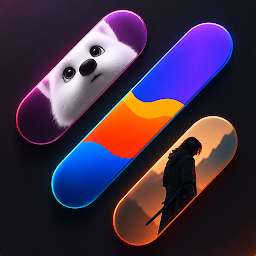
Beyond icons, the app adds pieces for the rest of your screen. You get two calendar sets that show the current date, and five widgets: three clocks, one date widget and a weather widget with a day and night look. Wallpapers in the same gentle palette are included, and a built-in browser lets you search icons or move through categories.
If your favorite app has no matching icon, you can file a regular request from inside the app. An optional Premium request moves yours up the line, and requested artwork may show up in later updates.
What the MOD unlocks
- Full Version – the whole pack is open from the first launch, so you can try the icons, calendars, widgets and wallpapers together without unlocking them piece by piece.
Tips before you start
- Mallow is not a launcher. Install one that supports third-party icon packs, such as Niagara, Apex or Smart Launcher, before you try to apply anything.
- On a Samsung phone with One UI, apply the icons through Theme Park in Good Lock.
- Use the in-app search to check that your most-used apps are covered before you redo your whole layout.
- Pick a wallpaper from the pack first, then choose widgets that match it so the screen feels consistent.
Installing the APK
Download the file from this page (it is 31.5 MB, so check your free space), then allow installs from unknown sources when Android asks. If the system reports a conflict with the original app, remove that app first and try again. Install the APK, open Mallow, and choose your launcher to apply the icons.
Common questions
Do I need root?
No. The APK installs like any other app and does not touch system files.
Is it safe?
Files are checked before they are published, but no download comes with a guarantee. Get APKs only from places you trust and keep your phone’s security features on.
Will the icons change if my launcher does not support icon packs?
Probably not fully. The developer notes that a launcher with icon pack support may be needed to apply the complete set, so choose one that does before you begin.
Also available on our sister site: Download Mallow Icon Pack from ModifiedMod – same app, a separate mirror with its own download links.
Download Mallow Icon Pack v1.0.2 APK (Full Version)
You are now ready to download Mallow Icon Pack for free. Here are some notes:
- Please check our installation guide.
- To check the CPU and GPU of Android device, please use CPU-Z app
- Before starting a download, our system checks the download link to ensure that we provide you with virus-free apps/games. It is our duty to prioritize your safety and security.