High-quality icon packs will be provided by MIUI HD – Icon Pack. Users can rest assured with the quality of each icon in this collection.


| Name | MIUI HD – Icon Pack |
|---|---|
| Publisher | Cris87 |
| Genre | Personalization |
| Size | 95M |
| Version | 4.5 |
| Update | November 14, 2026 |
| MOD | Full Version |
| Get it On | Play Store |
MOD Info
- Full Version
Picking a new look for every app on your phone usually means hunting for icons one by one, but here you apply a single pack and your launcher changes in one go. This guide covers what the MIUI HD – Icon Pack MOD APK offers and whether it is worth installing.
MIUI HD – Icon Pack at a glance
- Type: personalization app that restyles icons on your Android launcher
- What you do: apply a matching set of icons, pick wallpapers and choose calendar styles
- Developer: Cris87
- File size: 95M
- Suits you if: you like a tidy, uniform home screen and a polished, MIUI-inspired style
My take: this is a niche tool, but a useful one. An icon pack only works well when it covers most of your apps, and the large template count here gives you a good chance of a consistent result.
Main features
The core of the app is its icon collection. The developer says the icons are drawn in high resolution and rendered to a 2K SuperHD standard, so they should look crisp on modern screens. Each one is meant to show clearly what the app behind it does, which helps you find things quickly.
Coverage is the other big point. The pack includes 4075 icon templates, so you can restyle a large part of your app drawer instead of just a few favorites. The developer describes every icon as individually designed, which is why the set feels like one family rather than a random mix.
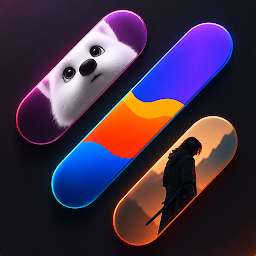
Beyond icons, you get 125 wallpapers across different themes, so you can choose a background that suits your new look. The app also offers dynamic calendar templates in the same style, and you can preview them before you commit. If an app of yours has no icon yet, you can send a request and ask for up to 3 free templates.
What the MOD unlocks
- Full Version – the complete app is open to you, so the icon collection, wallpapers and customization options are available without locked sections getting in the way of your layout.
Tips before you start
- Check that your launcher supports custom icon packs. You apply the pack from its theme or icon settings, so confirm that menu exists first.
- Browse the wallpapers before settling on a background. Choosing one that matches the icons makes the whole screen feel planned.
- Use the preview for calendar styles so you can see how one fits your layout before applying it.
- If a favorite app still shows its old icon, send a request through the app instead of living with the mismatch.
Installing the APK
Download the file from this page, keeping in mind it is about 95M, so leave some free storage and use a steady connection. Allow installs from unknown sources when Android asks, and if the system reports a conflict with the original app, remove that app first. Then install the APK, open the app and apply the pack through your launcher.
Common questions
Do I need root?
No. The APK installs like any other app, and you do not need to change anything deep in your system.
Is it safe to install?
Files are checked before they are listed, but no modified file can be promised risk-free. Install only from sources you trust and keep your phone’s security protections switched on.
Will the icons work with any launcher?
Only with launchers that allow custom icon packs. If yours has no such option, switch to one that does, then apply the pack from its settings.
Also available on our sister site: Download MIUI HD – Icon Pack from ModifiedMod – same app, a separate mirror with its own download links.
Download MIUI HD – Icon Pack v4.5 APK (Full Version)
You are now ready to download MIUI HD – Icon Pack for free. Here are some notes:
- Please check our installation guide.
- To check the CPU and GPU of Android device, please use CPU-Z app
- Before starting a download, our system checks the download link to ensure that we provide you with virus-free apps/games. It is our duty to prioritize your safety and security.