An icon pack with thousands of detailed 3D-style icons and HD wallpapers to restyle your Android home screen.


| Name | Sensations 3D |
|---|---|
| Publisher | Cris87 |
| Genre | Personalization |
| Size | 124.4 MB |
| Version | 4.5 |
| Update | November 18, 2026 |
| MOD | Full Version |
| Get it On | Play Store |
MOD Info
- Full Version
Scroll through your home screen, tap an app, and see a crisp, rounded 3D-style icon where a plain one used to be. That is what you get from Sensations 3D MOD APK, a personalization pack that restyles your whole phone without touching how it works. It suits anyone who enjoys tweaking their setup.
Sensations 3D at a glance
- Type: personalization app, an icon pack with bundled wallpapers
- What you do: swap your regular app icons for a matching set
- Developer: Cris87
- Size: 124.4 MB
- Suits: people who already use, or want to try, a custom launcher
My take: this is a purely cosmetic app, so the question is whether you like the look. A large collection makes it easier to find that most of your apps are already covered.
Main features
The pack ships with more than 6500 icons, each drawn at 350 x 350 pixels. The developer says every icon was made with close attention to detail. They went through a triple rendering process, a new color saturation system, and an extra pass of cleaning and sharpening.
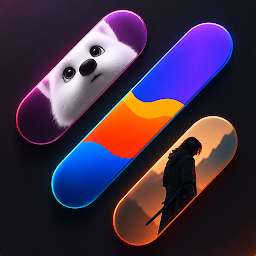
Wallpapers come in the same bundle: 50 HD images at 1440×2560. They are meant to sit alongside the icons, so your home screen feels like one design rather than separate pieces.
There is also a dynamic calendar icon that updates with the day. It works with the stock calendar app and with Google Calendar. If one of your apps has no icon in the pack, you can ask for it from inside the app, with three free requests per release. The developer also promises regular updates.
One thing is easy to miss: the pack cannot apply itself. You need a custom launcher that accepts icon packs, and the dashboard is built on CandyBar, with credit given to D. Mahardhika.
What the MOD unlocks
- Full Version – the whole app is open to you, so you can browse every icon and wallpaper and apply them without parts of the pack being held back.
Tips before you start
- Install a launcher that supports icon packs first, then choose Sensations 3D in its icon or theme settings.
- Pair an icon with a wallpaper from the bundle to get the matching look the developer intended.
- Check your most-used apps early. If some icons are missing, send a request through the app, since each release includes three free ones.
- Set aside enough free storage before downloading, because the file is fairly large.
Installing the APK
Download the APK from this page; it is 124.4 MB, so a stable connection helps. Allow installs from unknown sources when Android asks, and if it reports a conflict with an existing copy, remove the original app first. Then install the file, open Sensations 3D, and apply the pack to your launcher.
Questions players ask
Do I need root?
No. It installs like any normal app, and applying icons only requires a compatible launcher.
Is it safe?
Files are checked before they are listed, but no download can be called risk-free. Get APKs only from sources you trust and keep your phone’s built-in protection switched on.
Will it work with my default launcher?
Most likely not, since the pack is designed for custom launchers. Install one that supports icon packs, then select this pack from its settings.
Also available on our sister site: Sensations 3D mod on ModifiedMod.com – same app, a separate mirror with its own download links.
Download Sensations 3D v4.5 APK (Full Version)
You are now ready to download Sensations 3D for free. Here are some notes:
- Please check our installation guide.
- To check the CPU and GPU of Android device, please use CPU-Z app
- Before starting a download, our system checks the download link to ensure that we provide you with virus-free apps/games. It is our duty to prioritize your safety and security.